The powerful typesetting system LaTeX is well known in the world of academia, scientific publishing, and technical documentation. While LaTeX mainly gets used to produce pages of PDF, it integrates well as a pre-processing tool to create vector graphics in notes, websites, and documents, too. Guides show how to improve, or generate the following content elements:
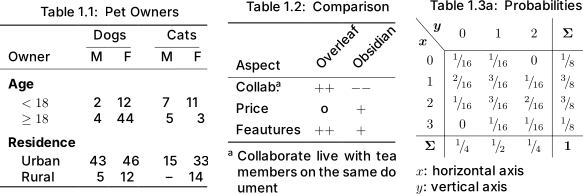
Code Snippets - Print source code with syntax highlighting in latex with listings
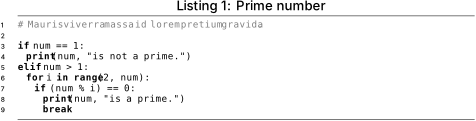
Follow varying typographic conventions with the same input syntax
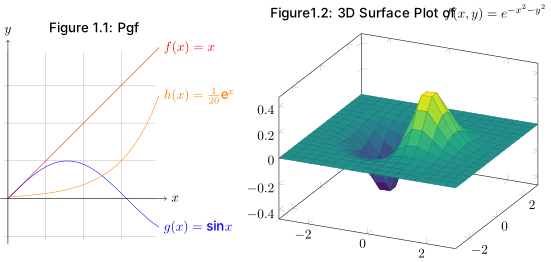
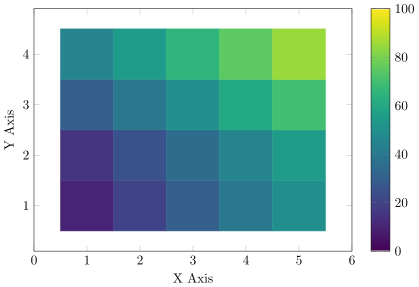
Plots - Dynamically plot mathematical functions, values as a vector graphic
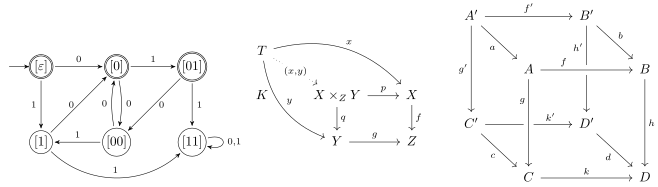
Networks, Commutative diagrams - Dynamically draw graph networks as a vector graphic
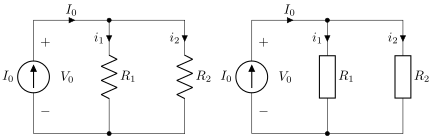
Electrical circuit - Dynamically draw electronic circuit diagrams as a vector graphic
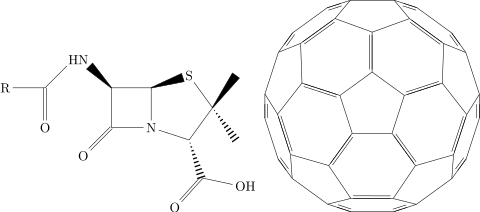
Molecules - Dynamically draw structural formulas of chemical molecules as a vector graphic
Roadmap for further data visualizations
- spiderweb diagram
- Fractals
- Public transport map
- (trail) Maps
- orbital paths
- engineering blueprint
- Minecraft blueprint
- Factorio blueprint
- music notes
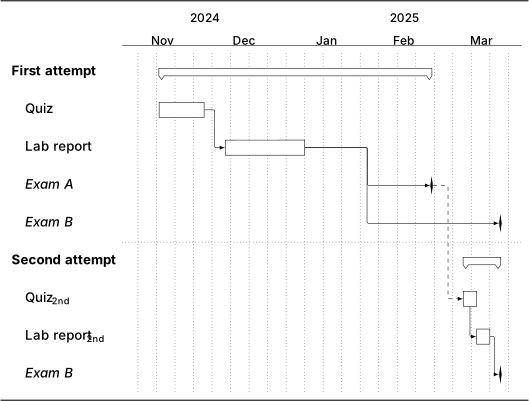
- timeline
- geographic maps with transparent circles
- low-poly art
Roadmap for setup comparisons
- writing, conversion, lint, debug
- which editor comparison
- Don’t spent so much time on your setup, start writing code
- alternative markup systems
Learn, Troubleshoot, Debugging/Help/Documentation
- keep package number low
- don’t create macros
- problem with text, quotes, math, tables, images, floats, listings, layout, development, setup, conversion, compile time, plots, graphics, citations
- Learn and troubleshoot LaTeX - Read (package) documentation, cheat sheets, tutorials
- Develop LaTeX packages
Other topics
- Values - Standardize math, numbers, symbols, quantities, money
- Float - Dynamically place figures, images, tables, and listings at the top, bottom, or single page
- Graphics, Plots, Visualization - Generate dynamic professional vector graphics with matching fonts, design
- Project structure - Create folders for setup, resources, bibliographies
- Graphical elements - Standardize tables, images, plots
- Layout the document - Setup margins, hyphenation, table of contents
Color gradients
Animation
Motivation and use cases for LaTeX
Collection for note preview
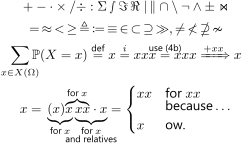
\documentclass{article} \title{math comments}
\usepackage{mathtools,amssymb,amsfonts}
\begin{document}
\begin{gather*}
+ - \cdot \times / \div :{} \Sigma \smallint \Im\,  \Re \mid\, \parallel \cap \setminus \neg \land \pm \Join \\
=\, \approx\, <\, \ge\, \triangleq\, \coloneqq\, \equiv\, \in\, \subset\, \supseteq\, \gg, \ne\, \nless\, \nsupseteq\,  \nsim \\
\sum_{\mathclap{x \in X(\Omega)}} \mathbb{P}(X = x)
\overset{\text{def}}{=} x \overset{i}{=} xxx \overset{\mathclap{\text{use (4b)}}}{=} xxx \xRightarrow{+ xx} x \\
x = \mathrlap{\phantom{(x)}\overbrace{\phantom{x xx}}^{\text{for }x}}  \underbrace{ (x)x }_{\text{for }x}  \underbrace{ \vphantom{(} xx \cdot x }_{ \mathclap{\substack{\text{for }x\\ \text{and relatives}} }  }
= \begin{cases} xx  & \text{for } xx \\[-1ex] & \text{because}\ldots \\ x  & \text{ow.} \end{cases}
\end{gather*}
\end{document}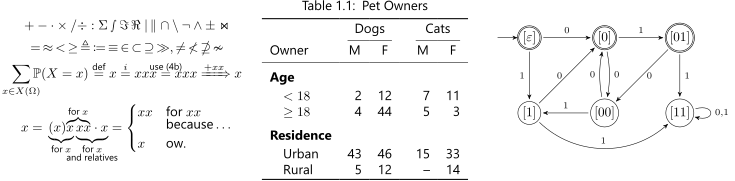
\documentclass{standalone} \title{latex collection}
\usepackage{graphbox}
\begin{document}
\includegraphics[align=c]{figure math comments} \hspace{1em}
\includegraphics[align=c]{figure pet owners} \hspace{1em}
\includegraphics[align=c]{figure automata}
\end{document}
Sources:
- 2023-06-19: How I’m able to take notes in mathematics lectures using LaTeX and Vim | Gilles Castel
- The LaTeX fetish (Or: Don’t write in LaTeX! It’s just for typesetting) – Daniel Allington
Related:
[[List related notes]]